
No products in the cart.

Short answer: WhatsApp Business is free and lets you create a catalogue, set quick replies, label customers and send updates. Use it to turn chats into orders: share a catalogue, answer fast with saved replies, confirm the address and payment, send tracking and ask for repeat orders. Respect people’s consent and do not spam.
Most Indian shoppers already use WhatsApp every day. That makes it a natural place to sell, especially to people who know you and to repeat buyers. The WhatsApp Business app adds tools made for small sellers. This guide shows how to set it up and use it to take and manage orders.
A WhatsApp Business catalogue lets customers browse your products in the chat. This guide shows how to sell on WhatsApp Business step by step.
This guide is part of our complete series on how to grow an ecommerce business in India.
Step 1: Set up WhatsApp Business
- Install the WhatsApp Business app and register with a number you will use only for the business.
- Add your business name, address if you have one, hours, description and email.
- Add a clear profile photo or logo.
Step 2: Build a catalogue
The catalogue lets customers browse items inside WhatsApp. For each product add clear photos, a name, price and a short description. Keep it small and tidy, with your best sellers first. Use the same photo and listing rules as in our listing checklist.
Step 3: Use the business tools
| Tool | What it does | Use it for |
|---|---|---|
| Quick replies | Saved messages you send with a shortcut | Price, delivery, payment and return answers |
| Labels | Tags for chats, such as New, Paid, Shipped | Tracking each order stage |
| Greeting and away messages | Automatic first and out-of-hours replies | Telling customers when you will reply |
| Catalogue | Product list inside WhatsApp | Letting customers browse and share items |
| Status | 24-hour updates visible to your contacts | New arrivals, offers and stock updates |
| Broadcast lists | Send one message to many contacts who saved your number | Offers to past customers |
Features and limits change, so check the current app.
Step 4: Turn chats into orders
- Answer quickly with a saved reply and a link to the catalogue.
- Confirm the product, quantity, price, delivery charge and delivery time.
- Confirm the full address and pincode.
- Take payment by a method you trust, and keep screenshots for your records.
- Label the chat as paid, pack and ship.
- Send tracking and a short thank-you.
Step 5: Respect consent
Only message people who expect to hear from you, such as customers or contacts who asked for updates. Mass unsolicited messages can get your number reported or blocked. Give people an easy way to stop.
Step 6: Ask for repeat orders and referrals
After delivery, ask if the product worked and whether they know someone who needs it. Add buyers to a broadcast list for new arrivals. Repeat orders from happy customers cost almost nothing to win.
Step 7: Combine with Instagram
Use Instagram for reach and WhatsApp for closing the sale. Put “message to order” in captions and a WhatsApp link in your bio. See how to sell on Instagram.
Join our free Telegram channel
For daily trending product updates, join our free Telegram channel.
Common WhatsApp selling mistakes
- Using a personal number and mixing chats.
- Slow replies to price questions.
- Skipping address confirmation, which leads to RTO.
- Sending too many messages to the same people.
- Not keeping a record of orders and payments.
WhatsApp Business app, WhatsApp Business Platform: which one do you need?
| WhatsApp Business app | WhatsApp Business Platform (API) | |
|---|---|---|
| Best for | Small sellers, one to a few people answering | Larger businesses with automation and many agents |
| Cost | Free app | Paid, usually through a provider, with message-based charges |
| Catalogue | Yes, up to about 500 products according to vendor sources | Yes, through commerce catalogues |
| Broadcasts | Broadcast lists, with about 256 contacts per list according to vendor sources, and recipients need to have saved your number | Template messages with tiered sending limits |
| Risk | Mass messaging can get your number reported or blocked | Quality ratings and messaging limits apply |
For a seller with a small stock, the free app is enough. Vendor sources also report that Meta tested monthly limits on broadcast messages in 2025, so check what applies to your account today. Avoid unofficial bulk-sending tools, which can get your number banned.
Set up your business profile properly
- Business name that matches your brand and social pages.
- Category, address if any, opening hours and a short description.
- A link to your Instagram, website or Telegram channel.
- A profile photo or logo that people recognise.
Message templates for the whole order journey
Greeting message
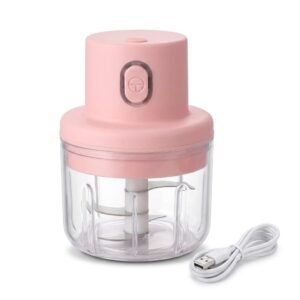
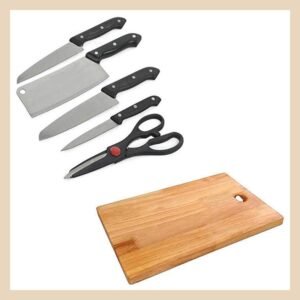
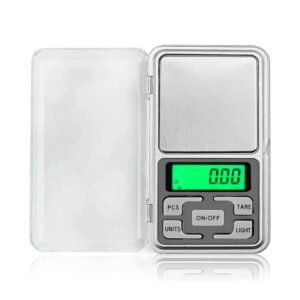
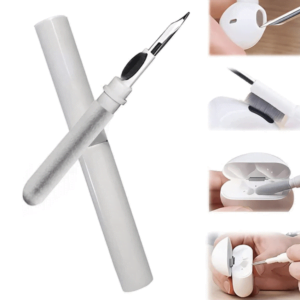
Hi, thanks for messaging [Business]. We sell
. Tap the catalogue to see prices. Tell us what you are looking for and we will reply shortly.




























































































































































































































































































































































































Away message
Thanks for your message. We are away right now and will reply by [time]. You can browse our catalogue in the meantime.
Order confirmation
Hi [Name], we received your order for x [quantity], Rs [total] including delivery. Please confirm your full address with pincode. We will share tracking once shipped.
Shipping update
Your order has been shipped. Tracking link: [link]. Expected delivery: [date].
After delivery
Hope you like your . If it helped, a photo or one line of feedback would mean a lot. And if you know someone who needs it, we can offer the same price.
Use labels as your order pipeline
| Label | Meaning | Next action |
|---|---|---|
| New lead | Asked about a product | Send price and video |
| Awaiting payment | Agreed to buy | Send payment details |
| Paid | Payment received | Pack and ship |
| Shipped | Parcel with courier | Share tracking |
| Delivered | Reached the buyer | Ask for feedback and referral |
| Repeat | Ordered more than once | Send new arrivals occasionally |
Payments and records
- Share a UPI ID or a payment link and keep the screenshot, then match it to your bank statement.
- For COD orders, confirm the address and intent first, see how to reduce returns and RTO.
- Keep a simple order sheet with date, product, amount, payment and delivery status.
- Give a bill. GST applies based on your turnover and where you sell, see GST registration for online sellers.
Ways to get new customers into your WhatsApp
- Put a WhatsApp link and QR code in your Instagram bio and on parcels.
- Use “Message ORDER on WhatsApp” in every Reel, see how to sell on Instagram.
- Ask happy buyers to share your catalogue link with one friend.
- Join local and community groups where selling is allowed and share useful content, not spam.
- Run click-to-WhatsApp ads only after your product converts organically.
Consent and etiquette
- Only message people who have contacted you or agreed to updates.
- Tell people how to opt out and respect it.
- Send useful updates, not daily forwards.
- Do not add people to groups without asking.
- Avoid sending the same message to hundreds of contacts at once.
A 14-day WhatsApp starter plan
| Days | Task |
|---|---|
| 1 to 2 | Install the app, set up the profile, add 5 products to the catalogue |
| 3 to 4 | Create greeting, away and quick reply messages |
| 5 to 7 | Message 30 people you know with a personal offer |
| 8 to 10 | Take orders, use labels, ship and send tracking |
| 11 to 14 | Ask for feedback, add buyers to a small broadcast list and plan one monthly update |
Catalogue best practices
- Put your 10 best sellers first and keep the rest tidy.
- Use a clear first photo and a short description with size and material.
- Add price and a product code so buyers can quote it.
- Remove out-of-stock items quickly.
- Use collections to group items, such as Kitchen, Home, Beauty.
A weekly routine for WhatsApp sellers
| Day | Task |
|---|---|
| Monday | Update catalogue and stock, plan three status posts |
| Tuesday to Friday | Reply, take orders, use labels, ship |
| Saturday | Ask for feedback from last week’s buyers |
| Sunday | Review orders, profit and RTO, plan next week |
Status posts that sell
- A 15 second video of a product in use with price.
- A customer photo with a thank-you.
- “Only 5 pieces left” updates, only when true.
- A short tip that helps your buyer, such as a care instruction.
How to handle common situations
| Situation | What to do |
|---|---|
| Buyer asks for a discount | Offer a small bundle instead of a lower price |
| Buyer goes quiet after price | One polite follow-up after a day, then stop |
| Payment not received | Do not ship until confirmed in your bank or UPI app |
| Product damaged on arrival | Ask for photos of the product and packing, then fix quickly |
| Buyer wants COD | Confirm intent and address before dispatch, see how to reduce returns and RTO |
Move customers into a repeat habit
- Create a label for each buyer’s product type.
- Message a useful reminder when a product is likely to run out, such as a refill or replacement.
- Offer new arrivals to the matching group only.
- Give a small thank-you on the third order.
Our free Telegram channel also shares daily trending product updates if you want product ideas for your catalogue.
Frequently asked questions
Is WhatsApp Business free?
The WhatsApp Business app is free to download and use. Some advanced business platform features are paid.
Can I sell products on WhatsApp without a website?
Yes. Use the catalogue and chat to take orders.
How do I find customers on WhatsApp?
Start with people you know, customers and referrals. Use Instagram and local groups to bring new people to your chat.
How do I avoid getting blocked on WhatsApp?
Message only people who expect to hear from you and avoid mass unsolicited messages.
Do I need GST to sell on WhatsApp?
It depends on your turnover and where you sell. See GST registration for online sellers.
How many products can I add to a WhatsApp catalogue?
Vendor sources say up to about 500 products on the Business app. Check the current limit in the app.
Can I send promotions to all my contacts?
Only to people who expect them and have saved your number. Broadcast lists have contact limits and mass unsolicited messages can lead to blocks.
Is the WhatsApp Business API worth it for a small seller?
Usually not at the start. Use the free app until your order volume needs automation.
How do I take payments on WhatsApp?
Share a UPI ID or payment link, keep the screenshot for records and confirm payment before dispatch.
Sources and further reading
- TeleCRM: WhatsApp broadcast, how it works, limits and best practices
- TechCrunch: WhatsApp to limit the number of broadcast messages (2025)
- AiSensy: WhatsApp marketing benefits
- RichAutomate: WhatsApp broadcast limits explained for India (2026)
Keep reading
- How to sell on Instagram in India
- How to get your first 10 orders online
- How to reduce returns and RTO
Last updated: 12 November 2026.
How to sell on WhatsApp: WhatsApp Business catalogue steps
To sell on WhatsApp, set up a WhatsApp Business profile, add products to the WhatsApp Business catalogue with clear photos and prices, create quick replies for common questions and use labels to track orders. Share the catalogue link on Instagram and with past buyers. See also how to sell on Instagram.

Written by WholesaleOye Team
WholesaleOye is an online wholesale market for sellers, shop owners and new resellers in India. Our mission is to make wholesale simple and low risk: buy in small quantity, start with a single sample piece, and grow as your customers re-order. Our vision is to be the place small businesses trust to source direct from importers and manufacturers at the best price, with GST bills, doorstep delivery to 25000+ pincodes and an easy 5-day return policy.


1 Comment